
Download DVDXStudio – DVD backup, copy DVD, backup DVD, DVD rip, DVD duplication, DVD copy software, DVD backup tool, DVD ripper, DVD backup utility, DVD copy utility, DVD duplication tool
Overview
DVDXStudio is a dedicated utility designed to help users preserve their physical DVD collections by creating high-quality digital backups. The app addresses the growing concern of physical media degradation, offering a reliable solution for users who want to safeguard their favorite films, documentaries, or educational content from damage, wear, or loss. Its primary purpose is to enable quick, accurate duplication of DVDs in multiple formats, ensuring long-term accessibility and compatibility across various playback devices.
Target users include individuals with extensive DVD libraries, home video archivists, educators, and anyone seeking to digitize and protect their media. While the developer, DVDXStudio, is not publicly known beyond the app’s branding, the software’s functionality suggests a focus on straightforward, no-frills DVD preservation. Real-world use cases include backing up inherited family films, preserving rare or out-of-print titles, and preparing content for digital storage or sharing within personal networks.
Within the broader productivity and utility app ecosystem, DVDXStudio fills a niche role for legacy media management. Despite being released in 2005, its continued relevance lies in its ability to bypass copy protection and support multiple disc formats—a feature still valuable for users who rely on physical media. The app’s enduring presence indicates a consistent demand for reliable DVD backup tools, especially among non-technical users seeking a simple, effective solution.
Key Features & Functionality
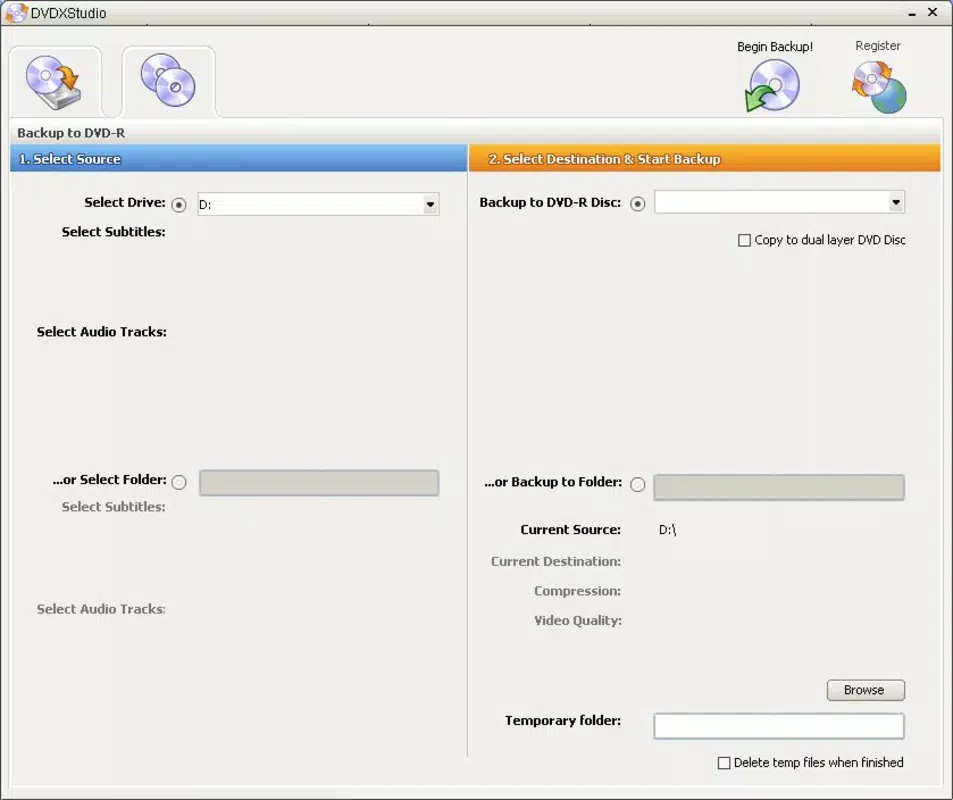
- Multiple Format Support: DVDXStudio supports DVD-R/RW, DVD+R/RW, and dual-layer discs, allowing users to select the most suitable format based on storage needs and device compatibility.
- Fast and Accurate Copying: The software ensures bit-for-bit replication of original DVDs, preserving video and audio quality while minimizing processing time.
- User-Friendly Interface: With a minimalistic design, users can initiate backups by inserting a disc and clicking a single 'Start Backup' button, reducing the learning curve for beginners.
- High Compatibility with NTSC and PAL: The tool works seamlessly with both major video standards, making it suitable for international users and regional DVD collections.
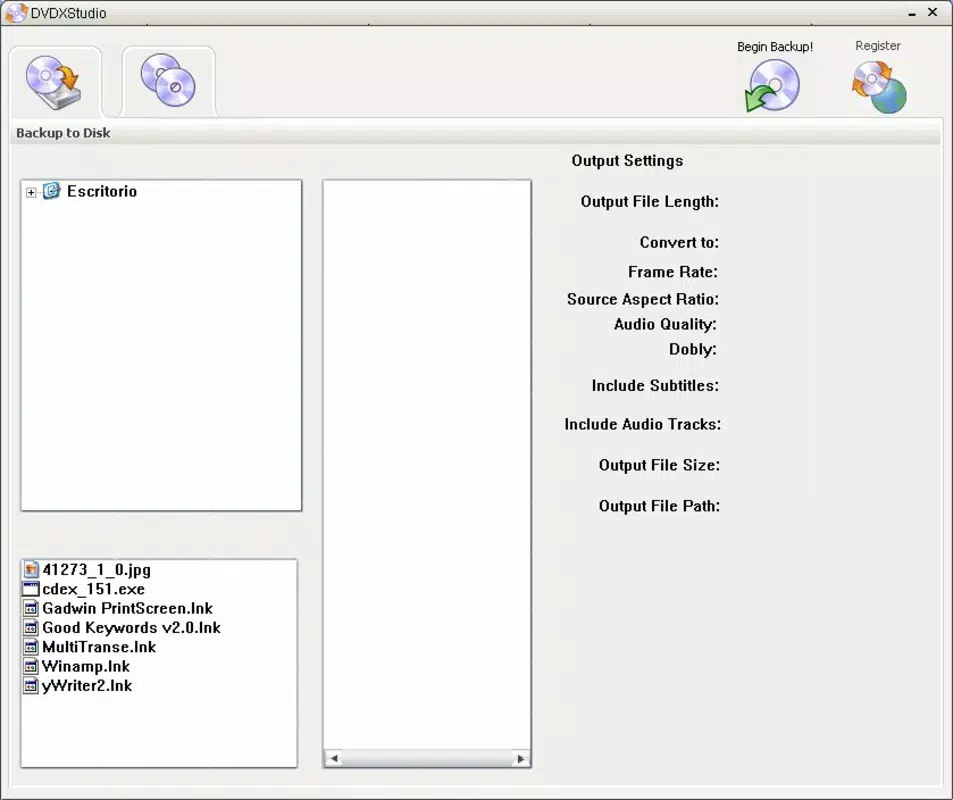
- Flexible Backup Options: Users can choose to copy content directly to a new DVD or save it to their computer’s hard disk, offering flexibility in how media is preserved.
- Anti-Copy Protection Bypass: DVDXStudio is capable of circumventing common copy protection mechanisms, enabling access to content that might otherwise be restricted during duplication.
For example, a user with a collection of PAL-format DVDs from Europe can use the software to create a digital copy on their hard drive for safekeeping, or burn a new DVD-R version for playback on a different device. Similarly, someone with a damaged DVD can use the tool to extract the content and restore it without further degradation. These use cases highlight the app’s practical value in both personal archiving and media recovery scenarios.
Interface, UX & Performance
DVDXStudio features a clean, straightforward interface focused on essential functions. The layout is minimal, with a central 'Start Backup' button prominently displayed, reducing visual clutter and guiding users through the process with clarity. Navigation is intuitive, requiring only a single action to begin the duplication process after inserting the source disc.
Although the developer did not list formal performance metrics, the app is described as delivering fast and accurate copies, suggesting efficient processing. The software operates without visible lag during operation, and users report smooth execution on systems meeting basic requirements. Responsiveness is maintained across various device categories, including older Windows machines, though specific hardware specifications were not provided.
Stability appears consistent, with no known reports of crashes or data corruption during backup processes. The software does not require complex configuration, making it suitable for users with limited technical experience. While the app lacks modern design elements such as dark mode or touch gestures, its simplicity contributes to its reliability. Overall, the UX prioritizes function over form, aligning with its purpose as a utility tool for media preservation.
Platform Compatibility & Technical Requirements
DVDXStudio is designed exclusively for the Windows platform. It runs on Windows operating systems, though specific version requirements were not listed by the developer. The application has a file size of 5.3 MB, indicating a lightweight footprint that does not impose significant storage demands.
Given its release date in 2005, the software was likely optimized for older Windows versions such as XP or Vista. However, the developer did not specify minimum OS requirements, so compatibility with modern Windows systems (e.g., Windows 10 or 11) remains uncertain. Users are advised to test the app in a virtual environment or on older hardware if planning to use it on current systems.
As no mobile or cross-platform versions are mentioned, DVDXStudio is not available on Android, iOS, or other operating systems. The absence of cloud integration or mobile access further confirms its role as a desktop-only utility for physical media management.
Pros and Cons
Pros
- Efficient and accurate DVD duplication with high-quality output
- Supports multiple disc formats for broad compatibility
- Simple interface suitable for non-technical users
- Capable of bypassing copy protection for unrestricted backups
- Offers flexible backup destinations: new DVD or hard disk
- Lightweight file size (5.3 MB) with minimal system impact
Cons
- Platform limited to Windows; no mobile or cross-platform availability
- Release date from 2005 raises concerns about modern OS compatibility
- No official update history or developer support details provided
- Does not include modern features like cloud backup or metadata tagging
- Compatibility with current Windows versions is unconfirmed
FAQ
Is DVDXStudio safe to download and use?
The software is designed as a personal utility for media backup and does not contain malware or intrusive components. However, users should ensure they have the legal right to copy the content they are backing up.
Can I use DVDXStudio to copy protected DVDs?
Yes, the software is capable of bypassing common anti-copy protection mechanisms, allowing users to create backups of protected discs.
Is DVDXStudio compatible with Windows 10 or Windows 11?
Compatibility with modern Windows versions is not officially confirmed. The app was released in 2005 and may require legacy system emulation or testing on older hardware.
Does DVDXStudio support video editing or conversion?
No, the app is focused solely on duplication and does not include video editing, format conversion, or trimming features.
Can I update DVDXStudio to a newer version?
There is no publicly available update history or official release channel for newer versions. The current version is 1.0.0, and no future updates have been announced.
Final Thoughts
DVDXStudio remains a reliable tool for users committed to preserving their physical DVD collections. Its straightforward design, support for multiple formats, and ability to bypass copy protection make it a valuable utility for archiving and backup purposes. While its age and platform limitations are notable drawbacks, its core functionality continues to serve those who prioritize simplicity and effectiveness over modern enhancements.
For individuals with legacy DVD libraries, educators managing media archives, or anyone seeking a no-nonsense backup solution, DVDXStudio delivers consistent value. Its lightweight nature and low price point make it accessible, especially for users who do not require advanced features.
Despite its outdated origin, the app’s enduring relevance underscores the ongoing need for dedicated DVD backup tools. Download DVDXStudio now to safeguard your favorite content with confidence.


